# Publish a build
Make a build live for players
Source: https://docs.wavedash.com/publishing/publish
Publishing sets one build as the live version players see when they open your game. You can change which build is published at any time.
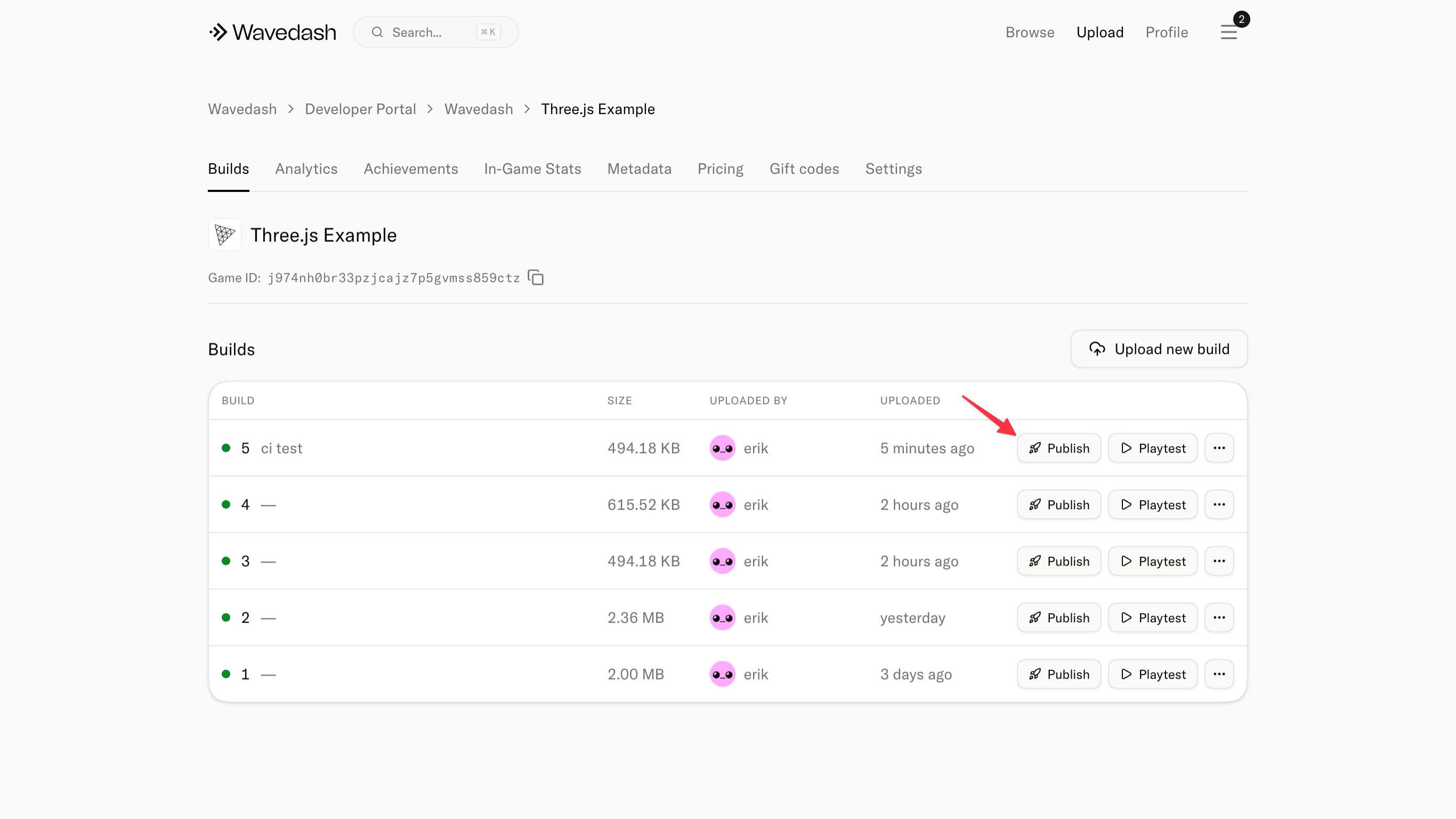
You can publish from the CLI after `wavedash build push`, or from the Developer Portal builds list.
## How to publish
1. Open your game in the [Developer Portal](https://wavedash.com/dev-portal)
2. Go to the **Builds** tab
3. Click **"Publish"** next to the build you want to make live
4. Confirm the publish action
Upload a build and copy the `Build ID` printed by the CLI:
```bash
wavedash build push
```
Publish that build:
```bash
wavedash publish
```
The command reads `game_id` from `wavedash.toml` by default. Pass `--config ` if your config file lives somewhere else.
Add release notes with optional fields:
```bash
wavedash publish \
--title "Version 1.0.1" \
--summary "Small polish pass." \
--added "New challenge mode" \
--fixed "Fixed fullscreen sizing" \
--adjusted "Tuned input timing"
```
You can pass `--added`, `--removed`, `--fixed`, and `--adjusted` more than once.
After publishing, load the public game URL in a clean browser to verify everything works.
## Rolling back
If a newly published build has a problem, select an older build and publish that one instead. You can do this from the Developer Portal builds list, or with `wavedash publish ` if you have the older build's ID. You don't need to re-upload anything — all previous builds are still available.
## Things to check before publishing
- The build ID matches the correct game
- You've tested the build on wavedash.com (not just `wavedash dev`)
- The store page is up to date if this build changes modes, monetization, or content